> ## Documentation Index
> Fetch the complete documentation index at: https://mintlify-docs-automation-github-pr-review.mintlify.site/llms.txt
> Use this file to discover all available pages before exploring further.
# Speakeasy
> Display autogenerated SDK code samples from Speakeasy in your API playground with multi-language examples for Python, TypeScript, Go, and more.
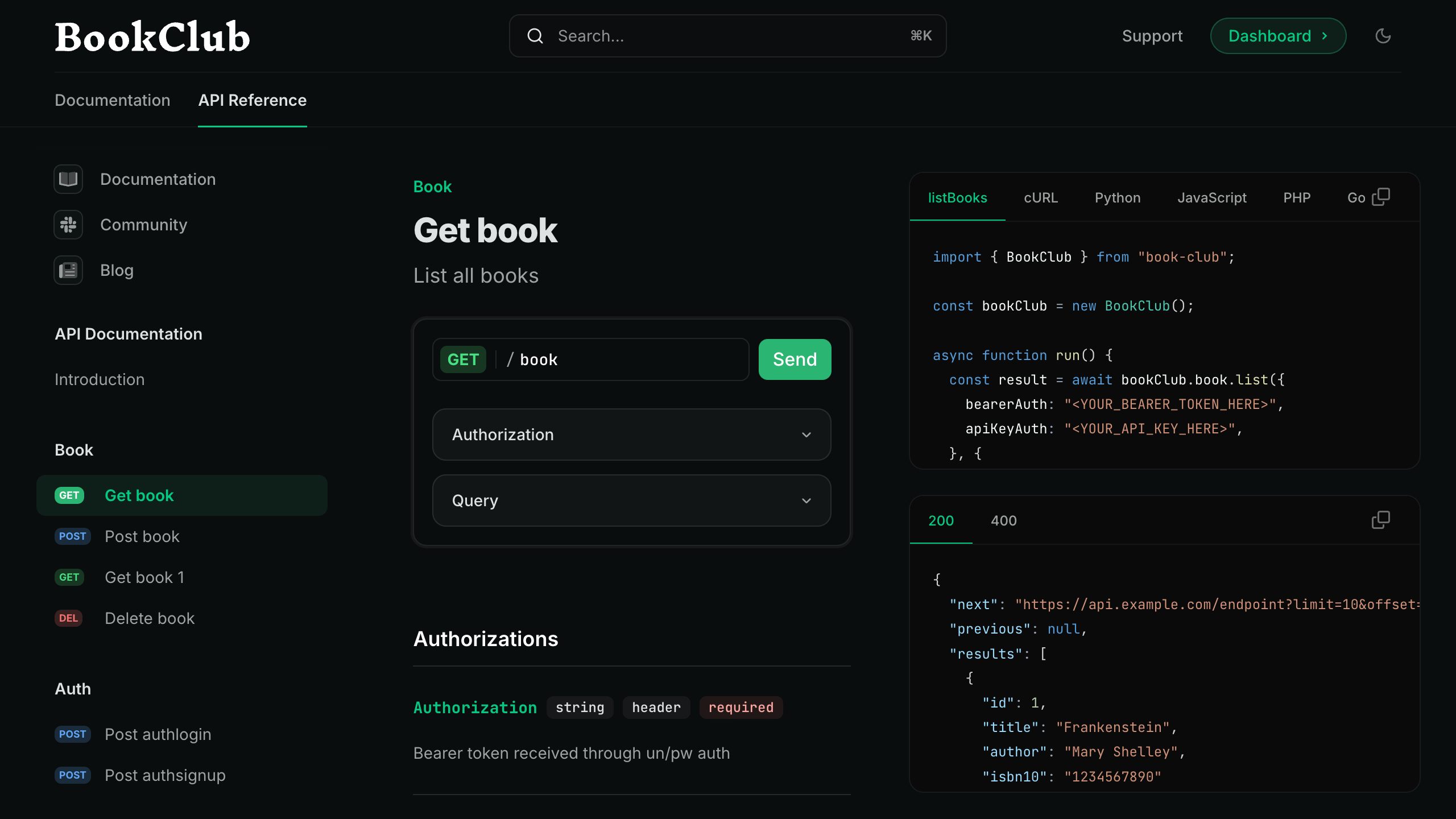
You can integrate autogenerated code snippets from Speakeasy SDKs directly into Mintlify API reference documentation. SDK usage snippets appear in the [interactive playground](/api-playground/overview) of Mintlify-powered documentation sites.
 ## Prerequisites
To integrate Mintlify with Speakeasy, you'll need the following:
* A [Mintlify documentation repository](/quickstart).
* A Speakeasy-generated SDK with a configured [automated code sample URL](https://www.speakeasy.com/docs/code-samples/automated-code-sample-urls).
## Set up the integration
To integrate Speakeasy with Mintlify, you must get the API's combined spec public URL from the registry and update your `docs.json` configuration file.
### Get the API's combined spec public URL from the registry
Navigate to your [Speakeasy Dashboard](https://app.speakeasy.com) and open the **API Registry** tab. Open the `*-with-code-samples` entry for the API.
## Prerequisites
To integrate Mintlify with Speakeasy, you'll need the following:
* A [Mintlify documentation repository](/quickstart).
* A Speakeasy-generated SDK with a configured [automated code sample URL](https://www.speakeasy.com/docs/code-samples/automated-code-sample-urls).
## Set up the integration
To integrate Speakeasy with Mintlify, you must get the API's combined spec public URL from the registry and update your `docs.json` configuration file.
### Get the API's combined spec public URL from the registry
Navigate to your [Speakeasy Dashboard](https://app.speakeasy.com) and open the **API Registry** tab. Open the `*-with-code-samples` entry for the API.
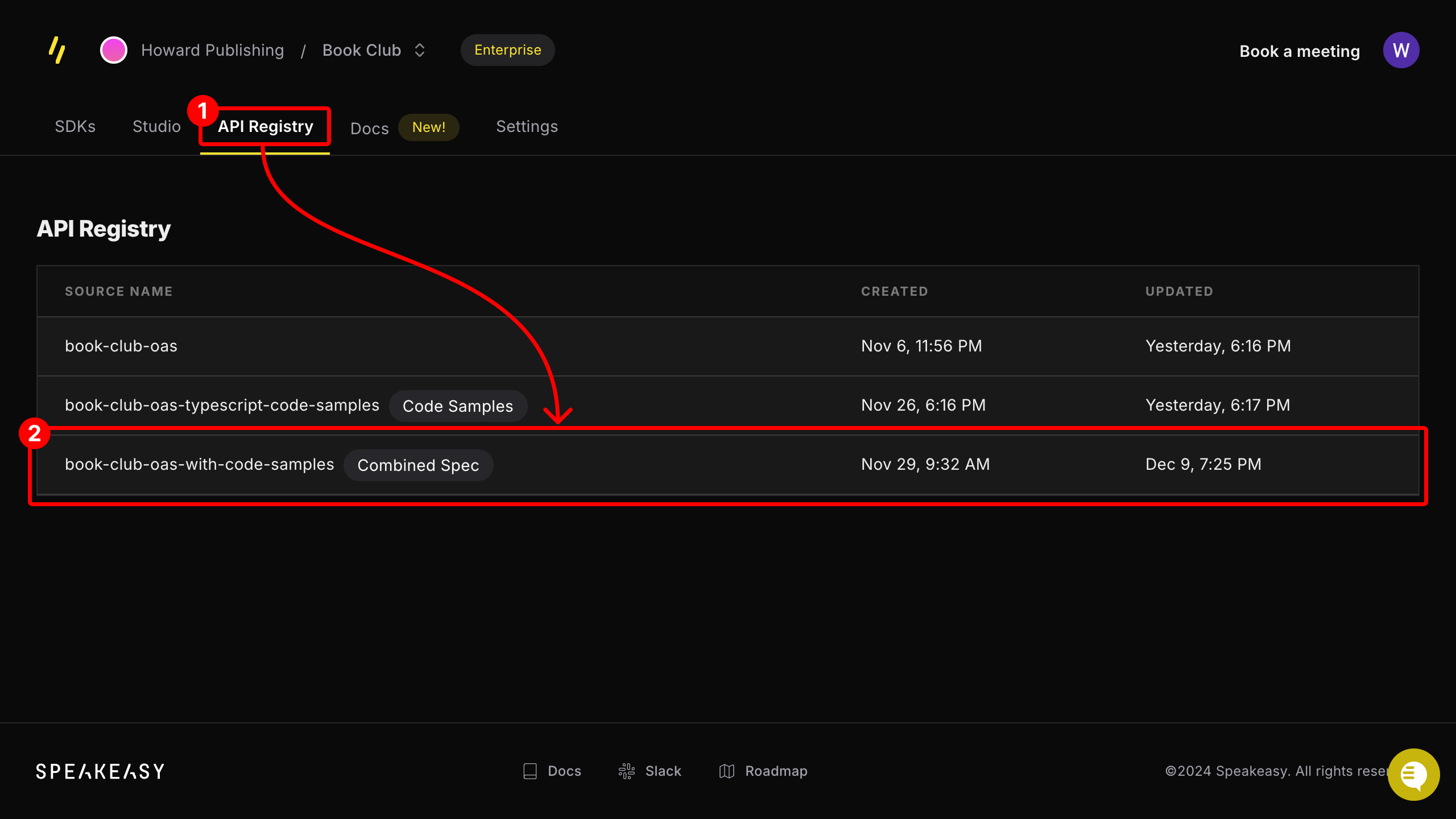 If the entry is not labeled **Combined Spec**, ensure that the API has an [automatic code sample URL](https://www.speakeasy.com/docs/code-samples/automated-code-sample-urls) configured.
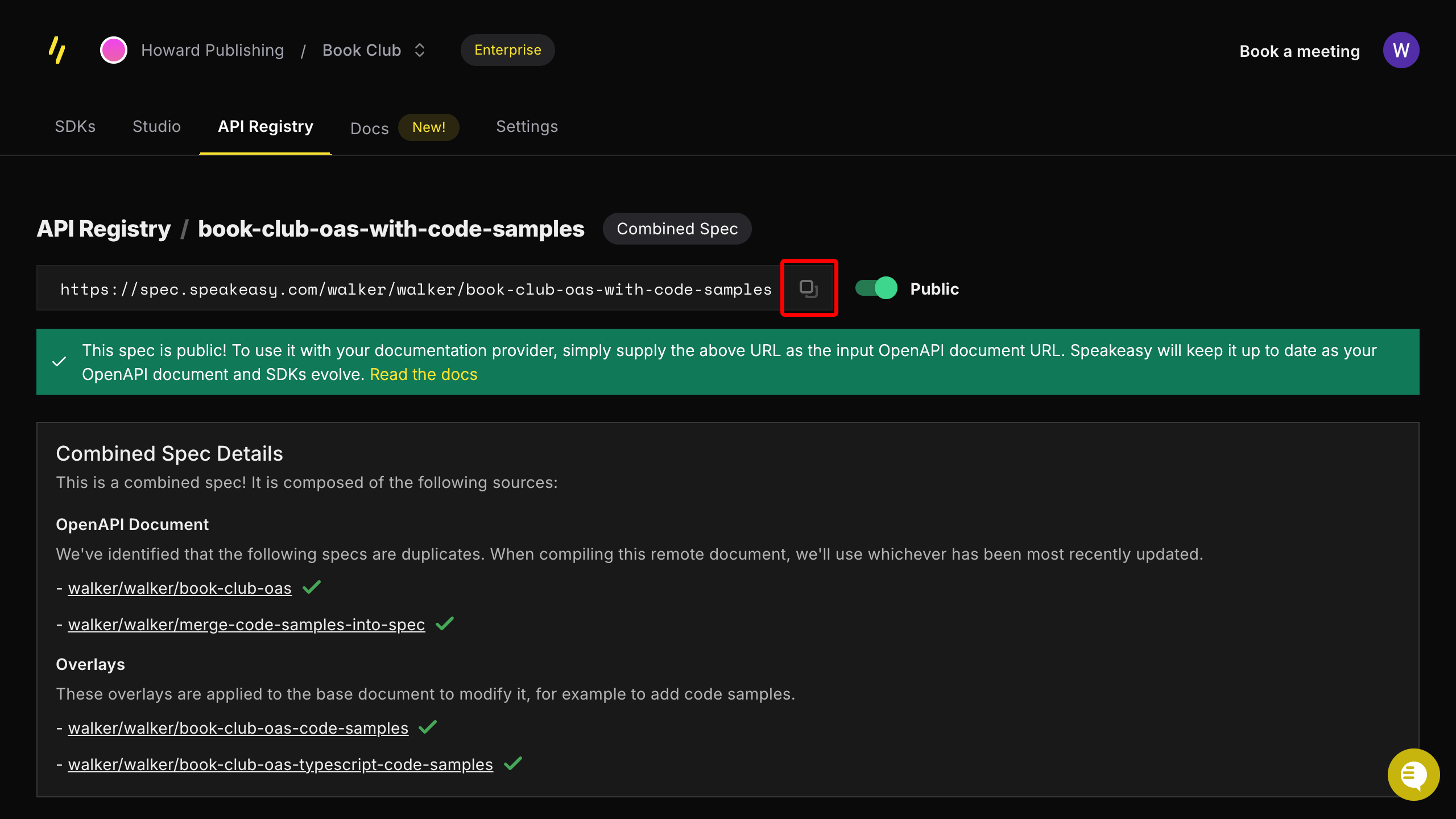
From the registry entry's page, copy the provided public URL.
If the entry is not labeled **Combined Spec**, ensure that the API has an [automatic code sample URL](https://www.speakeasy.com/docs/code-samples/automated-code-sample-urls) configured.
From the registry entry's page, copy the provided public URL.
 ### Update your `docs.json` configuration file
Add the combined spec URL to an **Anchors** or **Tabs** section in your `docs.json` file.
Add the combined spec URL to an anchor by updating the `anchor` field in your `docs.json` file as follows:
```json docs.json theme={null}
{
"anchors": [
{
"name": "API Reference",
// !mark
"openapi": "SPEAKEASY_COMBINED_SPEC_URL",
"url": "api-reference",
"icon": "square-terminal"
}
]
}
```
Add the combined spec URL to a tab by updating the `tab` field in the `docs.json` file as follows:
```json docs.json theme={null}
{
"tabs": [
{
"name": "API Reference",
"url": "api-reference",
// !mark
"openapi": "SPEAKEASY_COMBINED_SPEC_URL"
}
]
}
```
You can now view Speakeasy-generated code snippets in your API docs and interact with them in the playground.
### Update your `docs.json` configuration file
Add the combined spec URL to an **Anchors** or **Tabs** section in your `docs.json` file.
Add the combined spec URL to an anchor by updating the `anchor` field in your `docs.json` file as follows:
```json docs.json theme={null}
{
"anchors": [
{
"name": "API Reference",
// !mark
"openapi": "SPEAKEASY_COMBINED_SPEC_URL",
"url": "api-reference",
"icon": "square-terminal"
}
]
}
```
Add the combined spec URL to a tab by updating the `tab` field in the `docs.json` file as follows:
```json docs.json theme={null}
{
"tabs": [
{
"name": "API Reference",
"url": "api-reference",
// !mark
"openapi": "SPEAKEASY_COMBINED_SPEC_URL"
}
]
}
```
You can now view Speakeasy-generated code snippets in your API docs and interact with them in the playground.