> ## Documentation Index
> Fetch the complete documentation index at: https://mintlify-docs-automation-github-pr-review.mintlify.site/llms.txt
> Use this file to discover all available pages before exploring further.
# Speakeasy
> 在你的 API 操作台中展示由 Speakeasy 自动生成的 SDK 代码示例,支持 Python、TypeScript、Go 等多种语言。
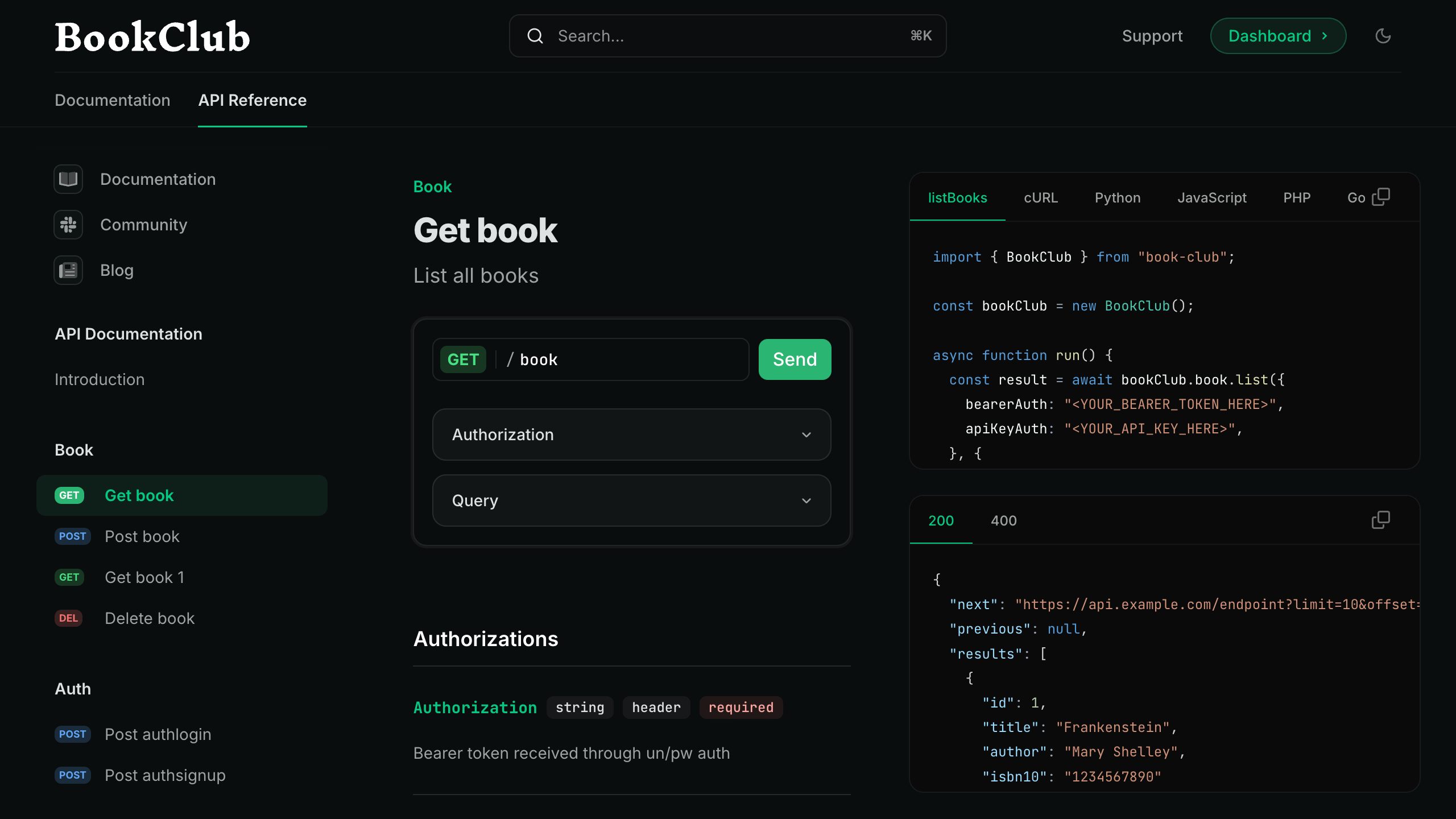
你可以将来自 Speakeasy SDK 的自动生成代码片段直接集成到 Mintlify 的 API 参考文档中。这些 SDK 使用示例将显示在由 Mintlify 驱动的文档站点的[交互式操作台](/zh/api-playground/overview)中。
## 前提条件
要将 Mintlify 与 Speakeasy 集成,你需要:
* 一个 [Mintlify 文档存储库](/zh/quickstart)。
* 一个由 Speakeasy 生成的 SDK,并已配置[自动代码示例 URL](https://www.speakeasy.com/docs/code-samples/automated-code-sample-urls)。
## 设置集成
要将 Speakeasy 与 Mintlify 集成,你需要从注册中心获取该 API 的合并规范的公共 URL,并更新你的 `docs.json` 配置文件。
### 从注册表获取 API 的合并规范公开 URL
前往你的 [Speakeasy 控制台](https://app.speakeasy.com),打开 **API Registry** 标签页。打开该 API 的 `*-with-code-samples` 条目。
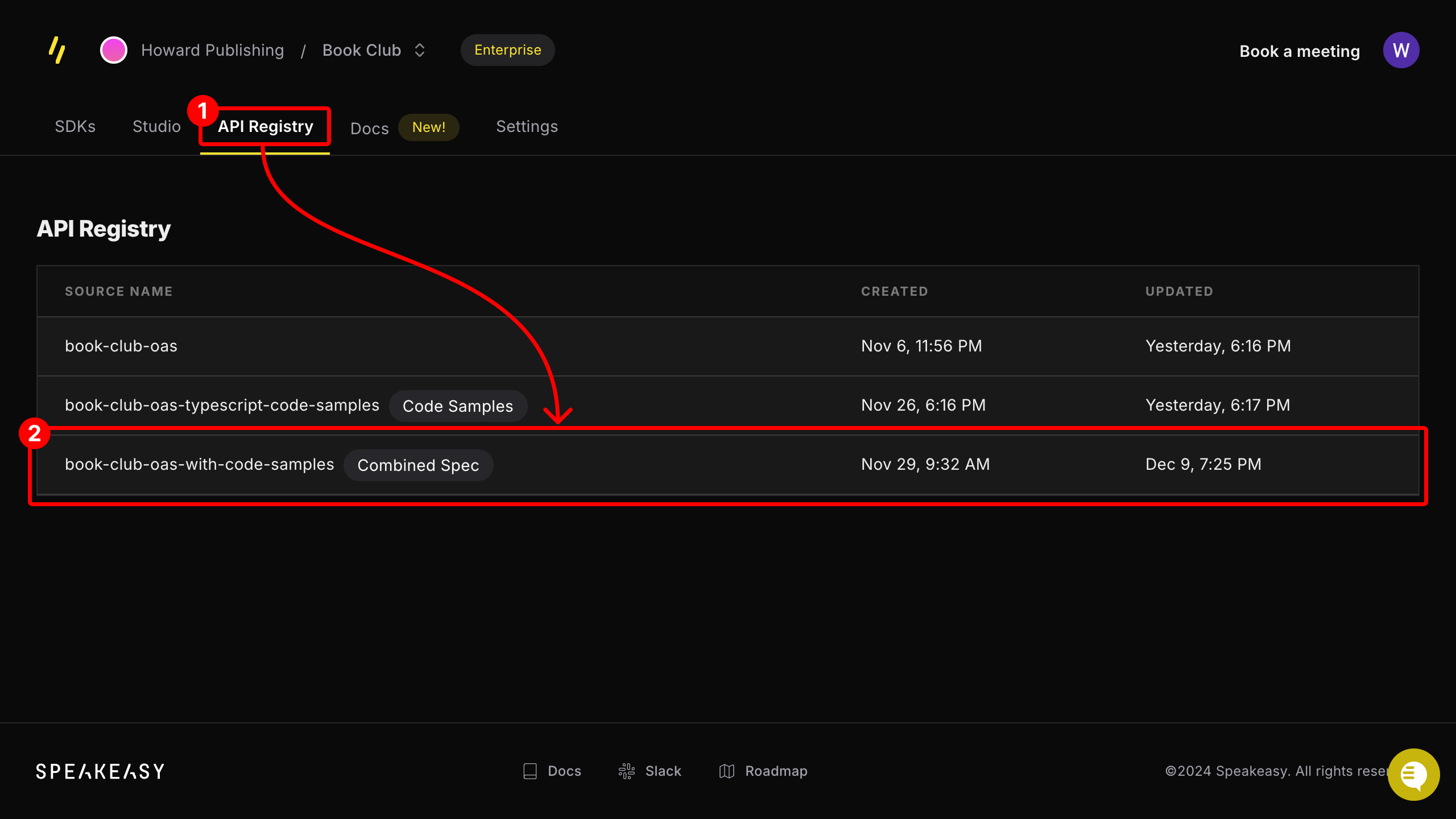 如果该条目未标记为 **Combined Spec**,请确保该 API 已配置[自动代码示例 URL](https://www.speakeasy.com/docs/code-samples/automated-code-sample-urls)。
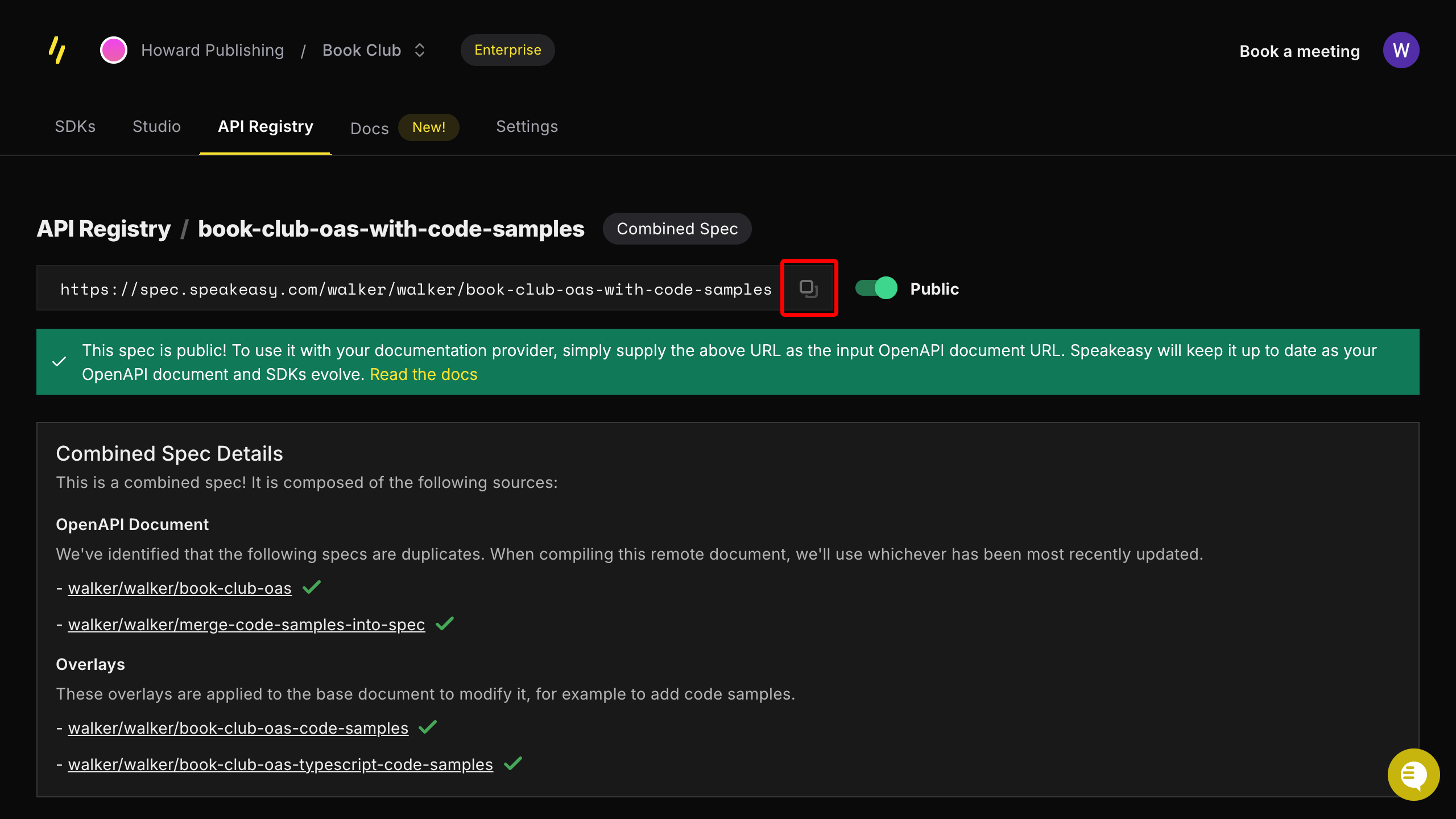
在该注册表条目的页面上,复制提供的公开 URL。
如果该条目未标记为 **Combined Spec**,请确保该 API 已配置[自动代码示例 URL](https://www.speakeasy.com/docs/code-samples/automated-code-sample-urls)。
在该注册表条目的页面上,复制提供的公开 URL。
### 更新你的 `docs.json` 配置文件
将合并后的规范 URL 添加到 `docs.json` 文件中的 **Anchors** 或 **Tabs** 部分。
在 `docs.json` 文件中按如下方式更新 `anchor` 字段,将合并后的规范 URL 添加到对应锚点:
```json docs.json theme={null}
{
"anchors": [
{
"name": "API Reference",
// !mark
"openapi": "SPEAKEASY_COMBINED_SPEC_URL",
"url": "api-reference",
"icon": "square-terminal"
}
]
}
```
通过如下方式在 `docs.json` 文件中更新 `tab` 字段,将合并后的规范 URL 添加到一个标签页中:
```json docs.json theme={null}
{
"tabs": [
{
"name": "API Reference",
"url": "api-reference",
// !mark
"openapi": "SPEAKEASY_COMBINED_SPEC_URL"
}
]
}
```
现在,你可以在 API 文档中查看 Speakeasy 生成的代码片段,并在演示区中与它们交互。